
New app
WearNav
Google Maps navigation on your watch
You navigate with Google Maps on your phone; WearNav mirrors the next turn, distance and street onto your Huawei watch — with a buzz before each turn. It works even with no signal, over direct Bluetooth.
- 2
- Channels (BT + Internet)
- Offline
- Works over Bluetooth
- 0
- Data collected
- Free
- For all users
What you can do
Your next turn, right on your wrist
Uses Google Maps itself
Navigate with Google Maps as usual on your phone — WearNav reads the directions and mirrors them to your watch. No account, no other map.
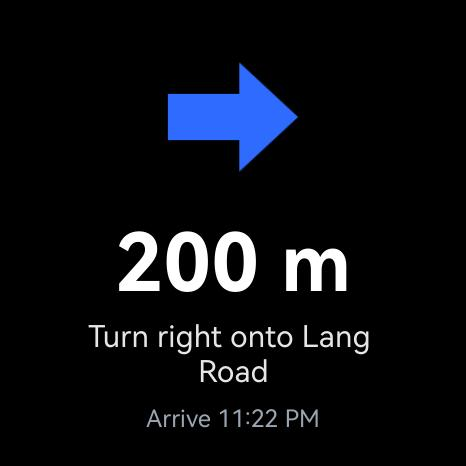
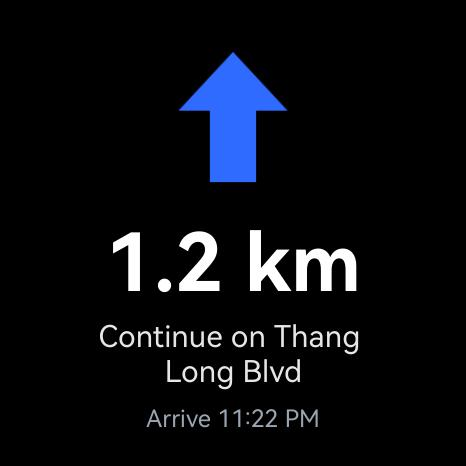
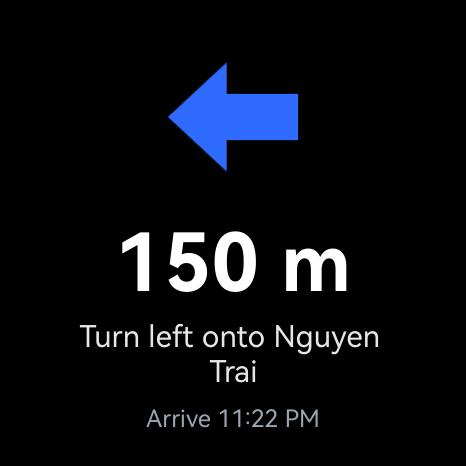
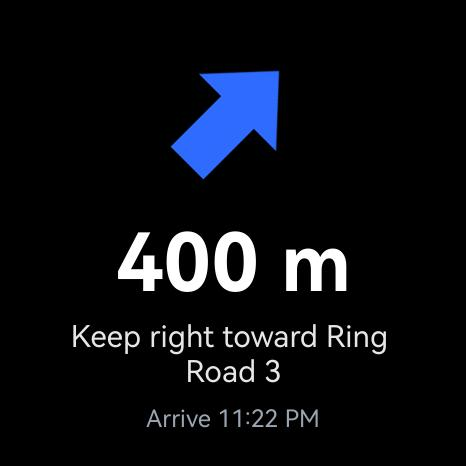
Next turn on your wrist
The turn arrow, distance and street show large on the round watch, with a ring that fills as you approach — readable at a glance.
A buzz before each turn
The watch buzzes once as you approach and three times right before the turn — no need to look at the screen, saving battery.
Works with no signal
A direct Bluetooth link between phone and watch keeps directions flowing even in tunnels or dead zones.
Battery-friendly
The screen only wakes when you raise your wrist; a buzz replaces keeping it on. The black UI is gentle on OLED.
Collects no data
WearNav stores no location and needs no account. Directions only travel from your phone to your watch.
How it works
Three steps. That's it.
Step 01
Install both apps
Install WearNav on your Android phone and on your Huawei watch.
Step 02
Pair them
Enter the 6-digit code shown on the phone into the watch to link them.
Step 03
Navigate as usual
Open Google Maps and start navigating — turns appear on the watch and it buzzes before each turn.
Inside the app
See it on your watch
Resources
Policies & support
WearNav is coming soon
Coming to Google Play and AppGallery. Free, with no personal data collected.